


Crossword Puzzle Redstone
4.835.53K Reviews
App Specs
- Version
- 1.7.5
- Updated On
- License
- Free
- Downloads
- 5,000,000+
- Developer
- Redstone Games
- Categories
- Word
- Platform
- Android
Screenshots
 Analysis by AppCompare
Ever found yourself stuck in the middle of a lazy afternoon, yearning for a mental workout without breaking a sweat? Well, let me introduce you to Crossword Puzzle Redstone. This app is your go-to for those moments when you want to give your brain a little nudge and dive into a world of words and clues.
What I like about a crossword on a phone is that it can fit into a small, ordinary gap in the day. I can open a puzzle while waiting for a ride or winding down after dinner, then return to it when I have another quiet moment. That stop-and-start rhythm suits clues better than a game that demands a long, uninterrupted session. It also makes the app easier to recommend to someone who wants a little wordplay without turning a hobby into a commitment.
Who will enjoy this kind of crossword?
The range from easier puzzles to more demanding ones makes this a reasonable starting point if you are new to crosswords, while regular solvers can use it for a lighter daily practice. It is especially appealing if you enjoy working through language clues at your own pace rather than racing another player. Redstone Games is the developer, and the game is free to download, so trying it does not require an upfront purchase. There are in-app purchases, though, so I would treat optional spending as a choice rather than assume every part of the experience is included without cost.
Crosswords are also a useful alternative to word searches and fast word games. A word search mainly asks you to spot a word already supplied; here, the clue has to lead you to the answer, and the crossing entries can help you test whether your reasoning holds up. That makes the experience more reflective. If what you want is quick visual matching, or a competitive game with a rapid pace, this is probably not the best fit. If you enjoy the satisfying moment when a clue and its intersecting letters finally make sense together, it is much closer to what you are looking for.
Getting Started with Crossword Puzzle Redstone
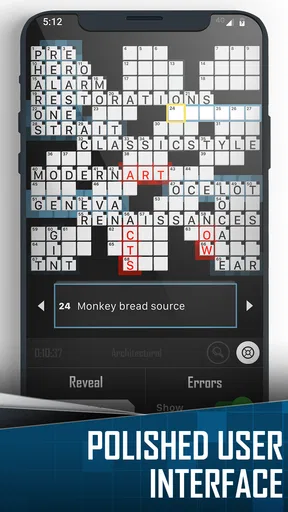
First things first, let's talk about getting started. Downloading and installing the app is as smooth as butter on both Android and iOS. Once you're in, you'll be greeted with a clean, user-friendly interface that’s super easy to navigate. No clutter, no distractions—just you and your puzzles.
A World of Puzzles
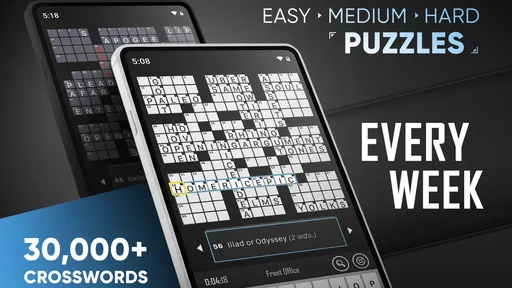
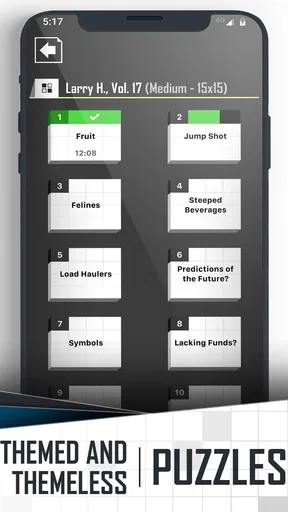
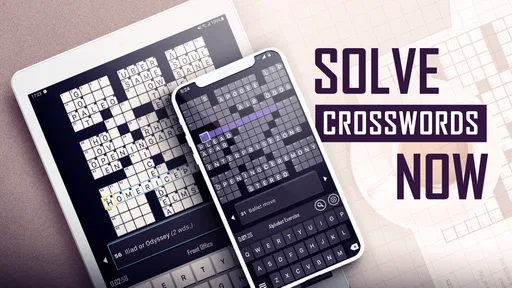
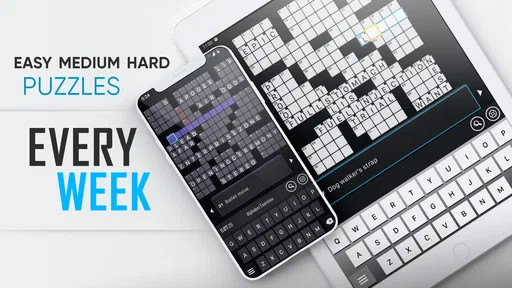
The app offers a wide array of puzzles, ranging from easy-peasy lemon squeezy to brain-bendingly challenging. Whether you're a newbie or a seasoned wordsmith, Crossword Puzzle Redstone has something to tickle your fancy. I particularly love how it caters to all skill levels, making it a perfect fit for anyone looking to kill some time productively.
That spread in difficulty is most useful when I choose a puzzle based on how much attention I have available, not just how confident I feel. On a busy day, an easier grid can be a pleasant pause; when I can settle in, a harder one gives me a reason to stay with it. A practical approach is to move on from a clue that is going nowhere, fill the entries you can solve, and revisit the stubborn answer once crossing letters have narrowed the possibilities. That keeps a difficult puzzle from becoming a contest of endurance.
Worth Reading Before You Choose

EA SPORTS FC Mobile 26 Is a Bigger Football Game, but It Takes Time

Flipboard Shows What News Apps Must Do Beyond the Feed

Switching to Android Auto Means Rethinking Your Driving Routine

Google Calendar Makes a Crowded Week Easier to Manage

Ludo King Makes the Most of the Minutes Between Plans

Baby Panda World Brings Quick Play to Modern Phones, but Its Game Library Feels Busy
Features That Shine
What makes this app stand out are its nifty features. You can get hints if you're stuck, which is a lifesaver for those trickier clues. The app also offers an "auto-check" feature, helping you verify your answers as you go along. Plus, the option to track your progress across puzzles adds a layer of motivation to keep pushing forward.
Hints and checking can make the difference between a satisfying challenge and an abandoned grid, but they also change how you solve. I would first use crossings to test an answer, then reach for a hint only when I have genuinely run out of ideas. Auto-checking is helpful when I want quick feedback, yet checking every entry as soon as I type it can interrupt the pleasure of reasoning through a whole section. For a more relaxed session, I prefer to solve a group of clues before checking; when I am learning, immediate feedback can be more useful.
The progress tracking is best treated as a gentle prompt, not a scorecard. It can encourage a regular habit, but it should not make a leisurely puzzle feel like homework. If I have only a few minutes, I can still make progress by solving a couple of straightforward clues and leaving the rest for later. That makes the game workable in short breaks without requiring me to finish a grid in one sitting.
If you're someone who likes a bit of companionship while solving puzzles, you're in luck. The app allows you to connect with friends and tackle puzzles together. It’s like having a mini crossword club in your pocket! Now, how cool is that?
Shared solving can be a nice way to turn a quiet pastime into a small social routine: one person may spot a wordplay angle while another recognizes a familiar phrase. I would use that option when both people are happy to discuss guesses rather than treat the puzzle as a race. It is less suited to someone who prefers complete solitude or wants a formal head-to-head contest. The appeal here is collaboration around clues, not pressure to outperform a friend.
A Smooth Experience
One of my favorite things about Crossword Puzzle Redstone is how seamlessly it operates. The app runs smoothly, with no lag or glitches, which is a huge plus when you're in the middle of a crossword frenzy. The developers have clearly put in the effort to ensure a fluid user experience.
A phone crossword is only comfortable if it lets me focus on the grid instead of making navigation another puzzle. That matters particularly when I am solving in a waiting room or on public transport, where attention may be divided and I might need to pause suddenly. I find this style of game works best when I approach it as a pocket activity rather than something that needs a dedicated desk, notebook, and long block of time. If you prefer the tactile feel of a printed newspaper crossword, though, a screen will not recreate that experience.
Customization Galore
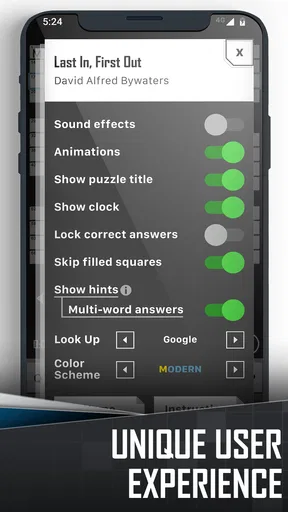
Customization is another area where this app shines. You can tweak the appearance to suit your style, from adjusting the font size to changing the background. It’s all about making your crossword experience as comfy and personalized as possible.
Font size is more than a cosmetic choice in a clue-heavy game. I would set it so that clues are comfortable to read without making the grid awkward to work with, especially during a longer session. Changing the background can also help the screen feel less stark, but the useful test is simple: can I scan clues and entries without straining or losing my place? A few minutes of adjustment at the start can make repeated short sessions more pleasant.
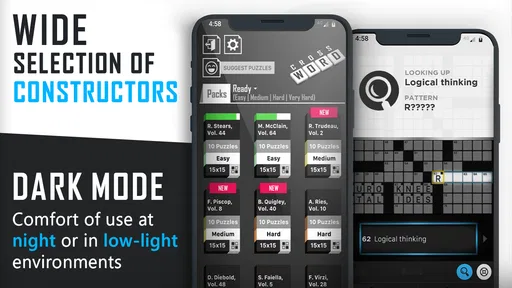
And let's not forget the night mode. It’s perfect for those late-night puzzle sessions when you’re snuggled up in bed, trying not to disturb your partner with the glaring screen light. A simple switch to night mode, and you’re good to go!
That makes the game easy to fit into a quiet evening routine, though I would still keep the session short if I am already tired. A more subdued display may be easier on the eyes in a dark room, but it does not make late-night screen use invisible to the person beside you. The strongest use case is a calm, low-pressure puzzle before bed, not a promise that every setting will suit every room or reading preference.
A Couple of Quirks
Now, as much as I adore this app, it’s not without its quirks. Occasionally, some puzzles can feel slightly repetitive, especially if you’re blazing through them at lightning speed. But hey, that’s a minor hiccup in an otherwise stellar experience.
That repetition matters most to people who solve quickly and want every new grid to feel completely fresh. Slowing down and treating clues as small language problems can stretch the value of a puzzle, but it will not change the underlying fact that a familiar style can become predictable over time. If variety is your main priority, I would compare it with other crossword options before settling on one, especially if you prefer a changing theme or a more newspaper-like editorial voice. For casual play, the straightforward format is a strength; for a solver who wants novelty above all else, it may become a limitation.
Also, while the free version is fantastic, some premium features require a subscription. If you're a crossword enthusiast, the additional puzzles might be worth the investment, but it's something to consider if you're more of a casual user.
Because purchases are available, I would spend some time with the free experience before deciding whether to buy anything. The listed in-app purchase range runs from $0.99 to $34.99 per item, so it is sensible to check what a purchase covers and whether it matches the way you actually play. Casual users may be perfectly content with occasional sessions; frequent solvers should weigh the extra content against how often they open the game. The game is rated Teen, another detail parents may want to consider when deciding whether it is appropriate for a younger player.
Fit for a Daily Routine
A realistic way to use the game is to open it during a short lunch break, solve the clues that come readily, and leave the harder corners for a quieter moment later. That approach makes hints more deliberate and keeps the puzzle from feeling like a timed task. It also gives progress tracking a practical role: it can help me notice that I have returned to solving, without needing to finish every grid in one go. If interruptions are common in your day, this flexible pace is a better match than a game built around continuous rounds.
On the other hand, I would skip it if I mainly want a huge social community, head-to-head competition, or a game whose appeal comes from animation and spectacle. Crossword Puzzle Redstone is about clues and words first. Its presentation supports that focus, but it is not trying to turn solving into a story-driven adventure or a loud arcade challenge. The best choice depends on whether you want a calm solo puzzle, a collaborative clue session, or a more energetic kind of word game.
What to Expect Before You Start
The game is listed as version 1.7.3 and supports Android 6.0 or later. It has been available since June 16, 2016, and its broad audience is reflected in a 4.7 average from around 134,000 ratings, with more than 1 million installs. Those figures suggest that it has found an audience among mobile crossword players, but they do not tell me whether its solving style will suit you; the more useful test is whether you enjoy its clue difficulty and the way you prefer to use hints.
If you are wondering whether you need crossword experience, I would say no: the easier puzzles give newcomers a place to begin, while hints can help when a clue is unfamiliar. If you are asking whether it works for a quick break, its puzzle format and progress tracking make that a natural way to play. And if you want to know whether it stays interesting indefinitely, my answer is more cautious: the range of difficulty helps, but solving rapidly can make some puzzles feel repetitive. It is a dependable option for a steady word habit, not necessarily the one I would choose for endless novelty.
Final Thoughts
All in all, Crossword Puzzle Redstone is a stellar app for crossword lovers. It’s got all the right ingredients: variety, usability, and a touch of community spirit. Whether you're on the bus, in a waiting room, or just lounging at home, this app provides endless entertainment and mental stimulation.
So, if you're ready to dive into a world of words and tease your brain a little, give Crossword Puzzle Redstone a whirl. Trust me, you won’t be disappointed!
My recommendation is strongest for someone who wants an approachable English crossword to pick up and put down, with difficulty options, hints, and room to make the display more comfortable. The mood is quiet and practical: the visual choices help the grid feel personal, while the steady pace leaves the solving itself at the center. I would be more hesitant to recommend it to a player who needs a constant stream of unusual puzzles or a competitive structure. For everyone else, it is an easy game to try, and a sensible one to keep around for the moments when a few words are exactly the right kind of break.
Pros
- User-friendly interface enhances play.
- Wide variety of puzzles keeps interest.
- Offline mode available for convenience.
- Hints system helps when you're stuck.
- Regular updates add new puzzles.
Cons
- Ads can be intrusive during gameplay.
- Limited free puzzles without purchase.
- Some puzzles too easy for experts.
- Occasional bugs in offline mode.
- No multiplayer or social features.
FAQs for Crossword Puzzle Redstone
What features does Crossword Puzzle Redstone offer?
Crossword Puzzle Redstone provides a wide variety of puzzles ranging from easy to challenging levels. It includes daily puzzles, themed puzzles, and a smart hint system to assist when you're stuck. The app also offers a clean, user-friendly interface and supports offline play, making it convenient for on-the-go solving.
Is Crossword Puzzle Redstone free to use, or are there in-app purchases?
While Crossword Puzzle Redstone is free to download and offers many puzzles at no cost, it does include in-app purchases. These purchases are primarily for additional puzzle packs and ad removal, allowing users to expand their puzzle selection and enjoy an ad-free experience if they choose.
Can I play Crossword Puzzle Redstone offline?
Yes, you can enjoy Crossword Puzzle Redstone offline. Once the puzzles are downloaded, you don't need an internet connection to play, which makes it perfect for travel or places where connectivity is limited. Just ensure you download your desired puzzles beforehand.
How does the hint system work in Crossword Puzzle Redstone?
The hint system in Crossword Puzzle Redstone is designed to help you when you're stuck. You can reveal letters or entire words to assist in solving difficult puzzles. However, using hints may affect your puzzle score, adding an element of strategy regarding when and how to use them effectively.
Is there a way to track my progress in Crossword Puzzle Redstone?
Absolutely! Crossword Puzzle Redstone features a robust progress tracking system. It keeps track of puzzles you've completed, your best times, and your overall performance. This allows you to measure your improvement over time and revisit puzzles to beat your personal records.


